
Avoiding Common Mistakes When Ordering DTF Transfers
DTF transfers are a popular solution for custom garment printing. However, many issues arise from avoidable setup and production errors. Understanding common DTF printing mistakes helps ensure cleaner results and longer-lasting prints.
This guide highlights what to watch out for when ordering custom DTF transfers, so you can achieve professional results every time.
Using Low-Quality Images
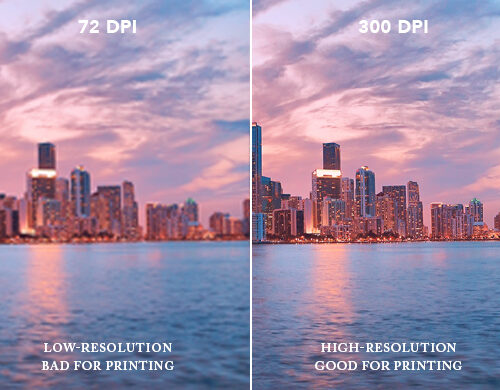
One of the most common DTF printing mistakes is submitting low-resolution artwork. Low-quality images often result in blurry and unprofessional prints, especially at larger sizes. For best results, artwork should be supplied at a minimum of 300 DPI. High-resolution files help DTF transfers reproduce sharp edges and clean detail.
Incorrect Resizing of Images
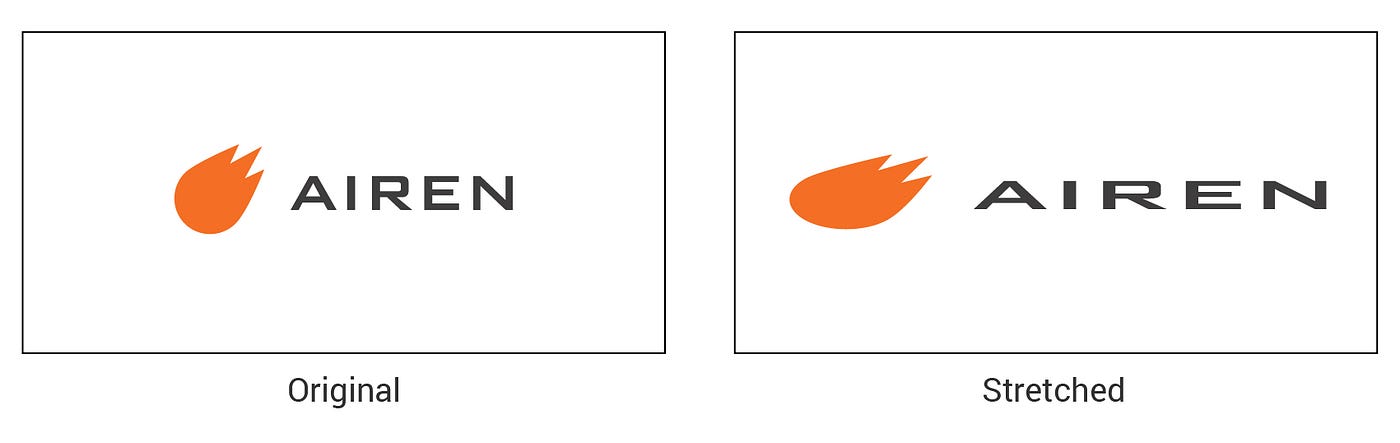
Improper resizing can distort artwork and affect the final print. Stretching or compressing a design without maintaining the correct proportions can make it look unbalanced. When preparing custom DTF transfers, designs should always be resized proportionally to preserve their original appearance.
Ignoring Bleed and Margins
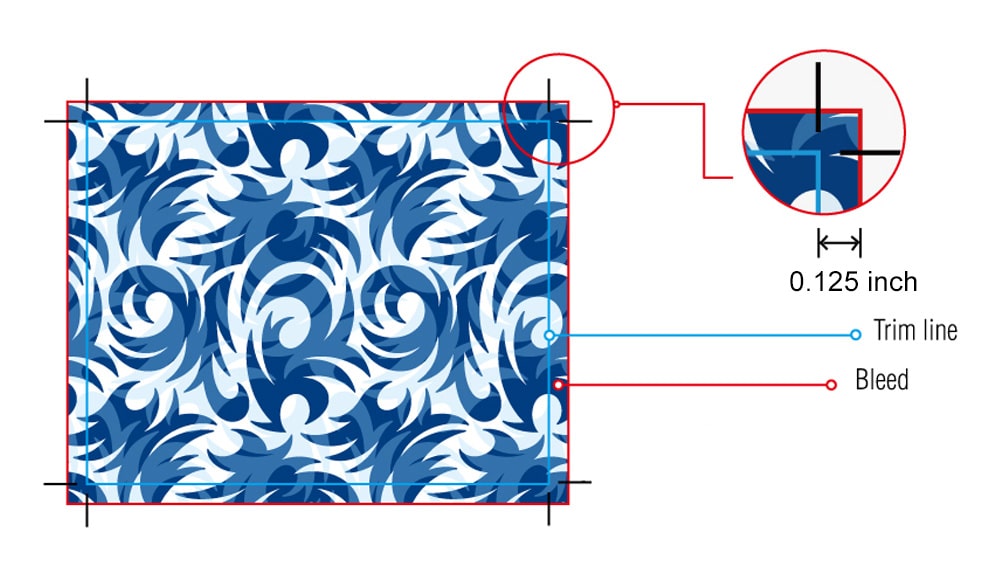
Another common issue is failing to account for bleed and margins. If artwork is cut too close to the edge, important details may be lost. Allowing an extra 3mm around the design helps protect it during trimming and reduces production-related DTF printing mistakes.
Choosing the Wrong Colours
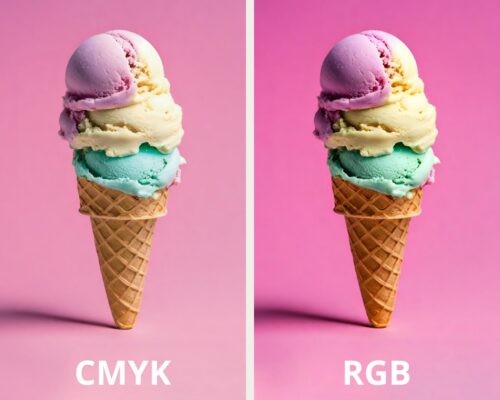
Colours can appear very different on screen compared to fabric. Designing in CMYK rather than RGB helps improve colour accuracy for DTF transfers. While Pantone colours offer better consistency, minor variations can still occur once printed.
5. Overlooking Small Text and Details
Very small text and fine details do not always transfer well onto fabric. If elements are too small, they may lose clarity during printing. Make sure all text and intricate details are large enough to remain legible once applied to the garment.
Not Considering the Fabric Type
Different fabrics react differently to heat and adhesive. Using the wrong transfer type for a specific fabric can affect durability and appearance. Checking fabric compatibility in advance helps avoid unnecessary DTF printing mistakes and ensures better longevity.
How to Apply DTF Transfers Correctly
Once your DTF transfers are ready, applying them correctly is just as important as ordering them properly. Following the right process helps ensure a strong and clean finish.
Set the Right Temperature and Pressure
For polyester garments, use a temperature of 120°C with medium pressure for 15 seconds. For t-shirts, set your heat press to 155°C and press for 10 seconds.
Prepare the Garment
Before applying the transfer, carry out a blank press for 5–7 seconds. This removes moisture and smooths the fabric, allowing the transfer to adhere more effectively.
Cold Peel Only
DTF transfers should be cold peeled. After pressing, allow the garment to cool completely before peeling away the film. This helps prevent damage to the design.
Spotting Quality Issues in DTF Transfers
Always inspect transfers during and after application. Blurry edges, colour inconsistencies, or visible outlines can indicate issues with artwork or DTF heat press application. Catching these early helps maintain a professional standard and protects your brand reputation.
Conclusion
Avoiding common DTF printing mistakes starts with proper artwork setup, correct fabric selection, and accurate application. When DTF transfers are prepared and applied correctly, they deliver clean, durable, and professional results.
If you need help with your next order of custom DTF transfers, feel free to contact EmbroideryBadge UK.
